


New games













Obby: Supercar Race on Keyboard
- W, A, S, D or arrow keys: drive
- Mouse: look around
- Space: jump
- Mouse wheel: zoom
- E: Cars, T: Teleport, R: Rebirth, P: Settings
- Mobile: on-screen joystick and buttons



About Obby: Supercar Race on Keyboard
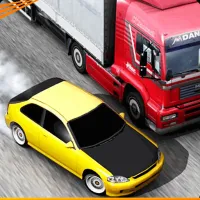
The road in Obby: Supercar Race on Keyboard is a giant computer keyboard. Your little orange car drives across Q, W, E and the rest of the keys toward a start gate, and a message on screen sets your first goal: pass the first challenge and win your first cup. It is an obby racing game where speed is something you build up, not something you start with.
Train First, Race Second
The counter at the bottom starts at 0 Speed and Level 0, with a bar that fills toward the next level. Training raises your speed, and the developer describes the loop simply: collect cars, train to get faster, then take on obstacle tracks to earn wins. In our run the level bar moved from 0/13 to 3/13 within the first minute.
Drive with WASD or the arrow keys, look around with the mouse, jump with Space and zoom with the mouse wheel. Careful with the letter keys on your real keyboard: several of them open menus, so E pops up the Cars garage and T opens Teleport.
Cars, Worlds and the Rebirth Button
The Cars panel shows a grid of supercars. Only the orange starter is unlocked, and it gives +1 Speed. The Teleport menu lists stages that open with cups: Stage 2 needs 2 cups, Stage 3 needs 3, and Stage 5 needs 6.
Rebirth is the big decision. It resets your level, but it doubles your speed multiplier from 1x to 2x and raises the level cap from 23 to 37. World 2 opens after 3 rebirths and World 3 after 6, so rebirthing early pays off once your level stops climbing.
Checked in November 2026: the game took about 45 seconds to load, with one ad before the green play button.
If obby parkour is your thing, Rainbow Obby is another one to try on Boy Games.
Driving GamesCasual Games