


New games


















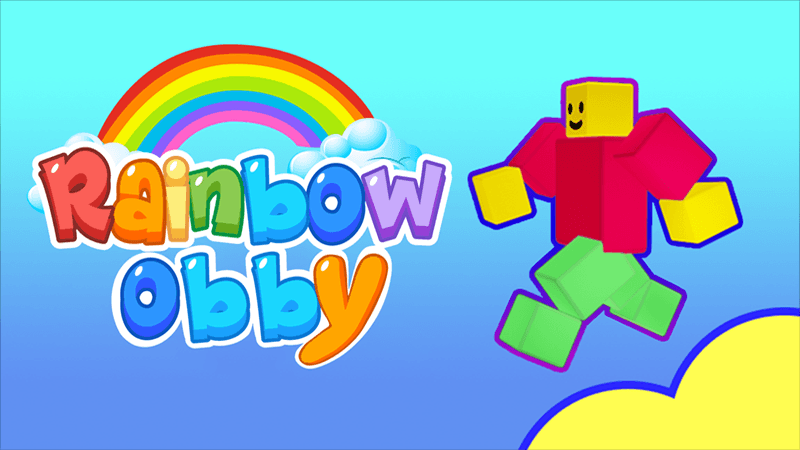
Rainbow Obby
PC Controls
W, A, S, D – Move
Spacebar – Jump
Mobile Controls
On-screen Joystick – Move
Jump Button – Jump
Rainbow Obby officially supports desktop computers, phones, and tablets.






About Rainbow Obby
Play Rainbow Obby Online Free | Boy Games
One missed jump can send you falling, while one perfect landing can carry you straight into the next challenge. Rainbow Obby is a multiplayer platform game from emolingo games built around running, jumping, climbing, and clearing massive obstacle courses. Classic Mode spreads hundreds of obstacles across three worlds, but the game goes much further with Car, Bike, Ladder, Troll, River, Plane, Knockout, and Cart modes. Jetpacks, springs, and other useful items can help when a difficult section slows you down. Play Rainbow Obby free on Boy Games directly in your browser and start tackling colorful parkour challenges without installing a traditional desktop game.
How to Play
Game Objective
Your main goal is to navigate each obstacle course and keep progressing until you reach the top. Careful movement, accurate jumps, and smart use of helpful items become essential as the obstacles grow more demanding.
Gameplay
Classic Mode gives you the purest Rainbow Obby experience: run, jump, and climb through three different worlds containing hundreds of obstacles. Movement stays simple, with WASD handling walking and the Spacebar controlling jumps.
Variety comes from more than 10 available modes. Car Mode replaces normal parkour with ramps, jumps, and tricky roads, while Bike Mode asks you to tackle obstacle courses on two wheels. Ladder, Troll, River, Plane, Knockout, and Cart modes introduce additional ways to play.
Getting stuck doesn't necessarily end your progress. Jetpacks, springs, and other useful items can help you overcome especially difficult sections, adding another option when standard movement isn't enough.
Winning & Losing
Success means overcoming the obstacles and continuing upward until you complete the course. Missing a platform or failing an obstacle interrupts your progress, but the challenge centers on retrying difficult sections and eventually finding a safe route through them.
Controls Guide
PC Controls
W, A, S, D – Move
Spacebar – Jump
Mobile Controls
On-screen Joystick – Move
Jump Button – Jump
Rainbow Obby officially supports desktop computers, phones, and tablets.
Game Features
Rainbow Obby stands out by expanding a straightforward parkour formula into a collection of obstacle challenges with different movement styles.
More Than 10 Game Modes
Instead of repeating one obstacle course format, Rainbow Obby offers more than 10 modes. Classic, Car, Bike, Ladder, Troll, River, Plane, Knockout, and Cart modes are among the available choices, giving players different ways to approach the game's platform challenges.
Three Classic Worlds
Classic Mode features three separate worlds packed with hundreds of obstacles. Moving through them tests basic platforming skills such as controlling your approach, judging distances, landing accurately, and keeping your character positioned safely before the next jump.
Vehicle-Based Challenges
Car and Bike modes dramatically change how familiar obstacle-course ideas feel. Car Mode features ramps, jumps, and difficult roads, while Bike Mode brings the challenges of Classic Mode onto two wheels, requiring players to adjust to a different style of movement.
Helpful Special Items
A difficult obstacle doesn't always have to be cleared with ordinary jumping. Rainbow Obby includes jetpacks, springs, and other useful items designed to help you through challenging levels, giving stuck players another way to continue making progress.
Multiplayer Obstacle Courses
Rainbow Obby is built as a multiplayer platform game, adding other players to its oversized obstacle courses. Troll Mode pushes that social element further because competitors can interfere with your progress, making awareness just as important as accurate platforming.
Tips & Strategy
Simple controls make Rainbow Obby approachable, but difficult obstacles still punish rushed movement. These tactics can help you progress more consistently.
Line Up Before You Jump
Avoid making large directional corrections after committing to a difficult leap. Move into the correct position first, face your intended landing area, and then jump so your momentum carries you toward the safest part of the next platform.
Break Difficult Sections Into Pieces
Long obstacle sequences can look more intimidating than they actually are. Focus on reaching one safe platform at a time instead of rushing toward the end, especially when narrow surfaces or closely spaced obstacles leave little room for correction.
Use Helpful Items When Needed
Jetpacks and springs exist specifically to help with difficult levels. If repeated attempts at the same obstacle aren't working, consider using an available item rather than forcing the identical jump over and over.
Adjust Your Approach Between Modes
Don't expect Car or Bike Mode to feel exactly like Classic Mode. Vehicle-based challenges introduce ramps, roads, and different movement behavior, so spend the opening sections learning how your vehicle responds before attempting obstacles at maximum speed.
Stay Alert in Troll Mode
Troll Mode allows other players to interfere with your progress. Watch nearby competitors before committing to precision sections, and avoid rushing into an obstacle when another player is positioned where they can disrupt your attempt.
Why Play on Boy Games
Boy Games makes Rainbow Obby easy to start when you want a quick platforming session without installing a traditional desktop game. Fast page loading gets you into the obstacle course quickly, while smooth browser performance helps precise movement feel responsive. Since Rainbow Obby supports computers, phones, and tablets, Boy Games also gives you flexibility across compatible devices. Whether you're working through Classic Mode or experimenting with vehicles, Boy Games keeps access straightforward. Open Boy Games, choose a mode, and see how far your parkour skills can carry you.
Explore More Games
Rainbow Obby fits best into Action Games within the available Boy Games category system. Poki classifies it primarily as a Platform Game and also associates it with action-oriented titles, while its real-time running, jumping, climbing, and obstacle avoidance make Action Games the closest available match.
Frequently Asked Questions
Is Rainbow Obby free to play?
Yes. Rainbow Obby is available as a free browser game. You can enter its obstacle courses and explore its different game modes online without purchasing the web version before playing. Poki currently lists the title as free to play.
Can I play Rainbow Obby on mobile?
Yes. Rainbow Obby officially supports desktop computers as well as mobile phones and tablets. Mobile play uses touch-based controls for movement and jumping, allowing you to tackle the same style of obstacle-course challenges without a physical keyboard.
Does Rainbow Obby require downloading?
No traditional desktop installation is required for the browser version. Rainbow Obby runs online in a compatible web browser, allowing you to start tackling its platform courses without first installing a separate PC game package or dedicated launcher.
What categories does Rainbow Obby belong to?
Within the Boy Games category system, Rainbow Obby fits Action Games best. Poki officially identifies it as a Platform Game, and the gameplay revolves around active movement, jumping, climbing, avoiding obstacles, and controlling vehicles across multiple challenge modes.
Discuss Rainbow Obby
Every mode tests your timing differently, whether you're making careful jumps in Classic Mode or tackling ramps behind the wheel. Share your favorite mode, toughest obstacle, best technique, or the item that saved your run—which Rainbow Obby challenge took you the most attempts to beat?
Action Games